Öğrenci Taşımacılığı Operasyonlarınızı Tek Ekrandan
Okul yöneticileri için ideal olarak tasarlanmış ekranlar ile aldığınız servis hizmetini takip edin.
AVANTAJLAR
Okul Servisi Operasyonlarında Ölçülebilir Verimlilik ve Şeffaf Yönetim
Servis Devamsızlık Durumu
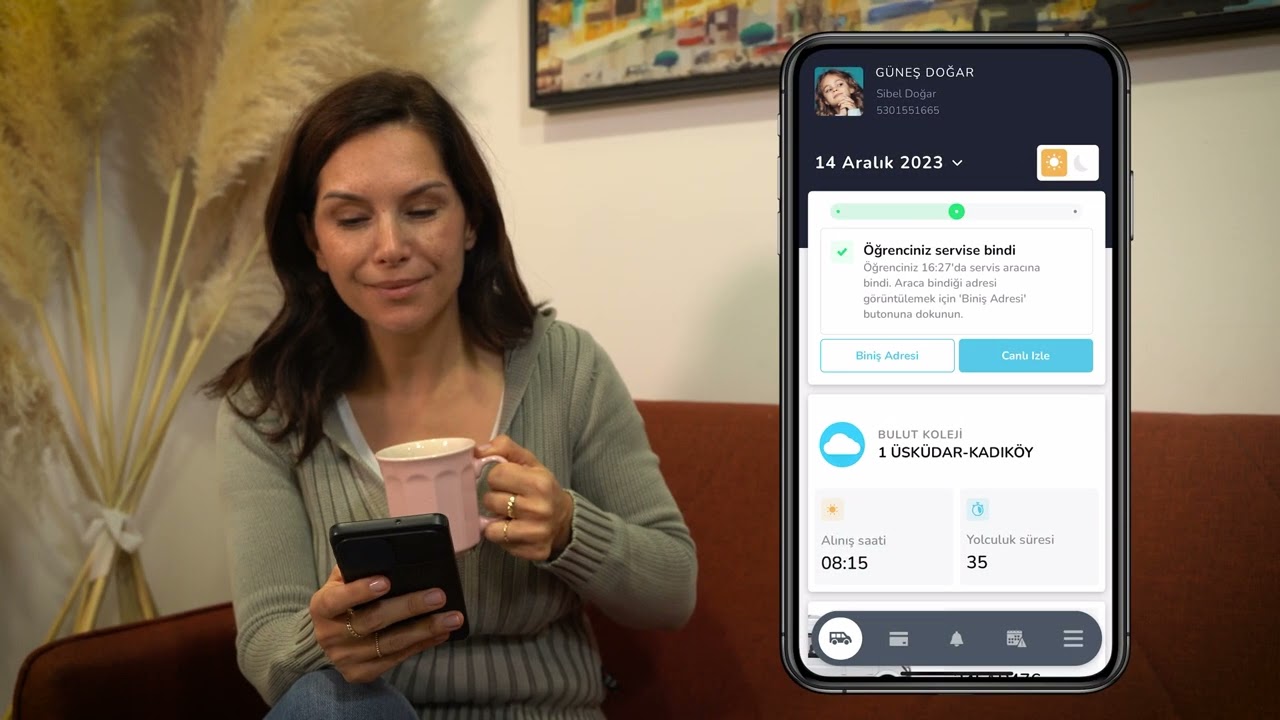
Öğrencinin o gün servisi kullanmayacağı bilgisi ekranda anlık olarak görüntülenir, sürücü ve okul yönetimi gereksiz beklemelerden önceden haberdar edilir.
Evrak ve Belge Takibi
Sürücü ve rehber personele ait ehliyet, psikoteknik raporu ve SRC belgesi gibi yasal evrakların geçerlilik durumu ekran üzerinden kolayca izlenebilir.
Araç Geliş Zamanları
Servis aracının güzergah üzerindeki anlık konumu ve tahmini varış süresi ekranda canlı olarak takip edilir, okul girişine yaklaşan araçlar önceden görüntülenir.
Servis Bekleme Süreleri
Öğrencinin durakta servis aracını beklediği süre sistem tarafından otomatik hesaplanır ve ekranda raporlanır, uzayan bekleyişler anında fark edilip müdahale edilebilir.
Tüm Özellikler
Öğrenci Servis Taşımacılığı Hizmeti ile İlgili Her Şey Cebinizde
Hangi Öğrenci Hangi Serviste, Güzergâhlar Nasıl Planlanıyor?
Servis Operasyonlarında Anlık Görünürlük ve Kontrol
Öğrenci servisleri liste görünümünde detaylı olarak incelenebilir veya harita görünümünde güzergâhlar toplu şekilde takip edilebilir. Servise ait plaka, sürücü, rehber personel ve öğrenci bilgilerine kolayca ulaşılabilir. Sistem üzerinden planlanan ve gerçekleşen öğrenci doluluk verileri karşılaştırılabilir; planlanan güzergâh ile gerçekleşen rota birlikte görüntülenerek servis süreci net şekilde analiz edilebilir.
Toplam süre, mesafe, okul başlangıç ve varış noktaları gibi operasyonel detaylar ile güzergâh verimliliği ölçülebilir. Araç, sürücü ve rehber personel evrakları sistem üzerinden görüntülenebilir; süresi dolan veya yenilenmesi gereken belgeler kolayca takip edilebilir. Yeni kayıt olan öğrenciler için adres aramasıyla en uygun durak ve servis önerileri alınabilir. İhtiyaç duyulan öğrenci servis listeleri Excel veya PDF formatında dışa aktarılarak raporlama ve paylaşım süreçleri kolaylaştırılabilir.
Araçlar hangi servislerde çalışıyor? Verileri inceleyin.
Araç Hareketleri, Servis Geçmişi ve Performans Takibi
Hizmet almış olduğunuz servis firmasına bağlı araçları sistem üzerinden anlık olarak
takip edebilirsiniz. Araçların harita üzerindeki canlı konumları, aktif servis bilgileri
ve anlık hız verileri görüntülenerek operasyon süreci daha şeffaf ve kontrollü şekilde izlenebilir.
Canlı veri ve vitaDrive TMS
üzerinden alınan manuel öğrenci biniş-iniş kayıtları sayesinde araçların hangi servislerde çalıştığı, güzergâh üzerinde hangi noktada bulunduğu ve öğrencilerin servis kullanım durumları takip edilebilir. Sürücü veya rehber personel tarafından işlenen indi-bindi kayıtları sistem üzerinde görüntülenerek servis süreci net şekilde analiz edilir. Geçmiş izleme ve raporlama alanı ile seçilen tarih aralığında araçların hareketleri, kat ettiği mesafe, ortalama ve azami hız bilgileri incelenebilir. Okula giriş-çıkış saatleri, erken veya geç hareketler, hız aşımları ve öğrenci taşıma kayıtları raporlanarak hizmet alınan servis firmasının performansı ölçülebilir hale getirilir.
Öğrenci kayıtlarını yönetin. Servis süreçlerini tek ekrandan takip edin.
Öğrenci Yönetimi, Servis Kullanımı ve Yolculuk Süreleri
Öğrenci kayıtları sistem üzerinden detaylı şekilde görüntülenebilir, yeni öğrenci tanımlamaları yapılabilir ve mevcut öğrenci bilgilerinde kolayca güncelleme sağlanabilir. Öğrencinin bağlı olduğu sınıf, veli bilgileri, servis kullanımı, aktif/pasif durumu ve servisle ilgili temel kayıtları tek ekran üzerinden yönetilebilir.
Öğrencinin kullandığı servis, serviste geçirdiği süre, alınış ve bırakılış sırası, servise biniş ve iniş kayıtları ile günlük kullanım durumu sistem üzerinden detaylı şekilde incelenebilir.
Servis planlaması kapsamında öğrencinin hangi servise dahil olduğu, güzergâh üzerindeki sıralaması, alınış-bırakılış noktaları ve servis kullanım durumu sistem üzerinden takip edilebilir. Araç içi uygunsuzluk kayıtları, öğrenci bazlı notlar ve operasyon sırasında oluşan özel durumlar kayıt altına alınarak hem okul hem de servis firması tarafından daha kontrollü bir süreç yürütülebilir.
Servis kullanımını görüntüleyin. Hareketleri analiz edin.
Öğrenci Biniş-İniş Süreçlerinin Uçtan Uca Takibi
Seçtiğiniz tarih aralığında öğrenci servislerine ait toplam yolcu sayılarını görüntüleyebilir, araç kapasitesi ile karşılaştırmalı olarak servislerin doluluk oranlarını inceleyebilirsiniz. vitaDrive TMS üzerinden sürücü veya rehber personel tarafından yapılan biniş-iniş işaretlemeleri doğrultusunda öğrencilerin hangi servisi kullandığı, servise ne zaman bindiği ve ne zaman indiği detaylı olarak takip edilebilir.
Harita görünümü sayesinde sürücünün işaretleme yaptığı nokta ile öğrencinin kayıtlı ev adresi arasındaki mesafe görüntülenebilir. Bu yapı, servis kullanım doğruluğunu değerlendirmeye, biniş-iniş noktalarını analiz etmeye ve öğrenci servis deneyimini daha kontrollü planlamaya yardımcı olur. vitaKids Veli Mobil Uygulaması üzerinden veliler tarafından iletilen “servis kullanmayacak” bilgileri sistemde görüntülenebilir ve ilgili bildirimler operasyon ekipleri tarafından takip edilebilir.
Araç doluluk oranları, toplam öğrenci sayıları, servis kullanım kayıtları ve biniş-iniş hareketleri tek ekranda raporlanarak servis performansı bütüncül şekilde izlenebilir. Böylece hem günlük servis kullanımı hem de dönemsel yoğunluk analizleri daha kolay yönetilir.
Veliler servis hizmetini nasıl değerlendiriyor? Geri bildirim ve anketleri görüntüleyin.
Geri Bildirim Kayıtları, Memnuniyet Anketleri ve Diğer Tüm İşlemler
Velilerin öğrenci servis taşımacılığı hizmetiyle ilgili oluşturduğu öneri, şikayet ve geri bildirim kayıtları sistem üzerinden kolayca görüntülenebilir. Gelen kayıtlar tarih, durum ve konu başlığı bazlı takip edilerek hangi geri bildirimin açık, değerlendirmede veya sonlandırılmış olduğu net şekilde izlenebilir. Veli tarafından iletilen açıklamalar, varsa eklenen fotoğraf veya dosyalar incelenebilir; yetkili kullanıcılar aynı ekran üzerinden geri bildirime cevap vererek sürecin düzenli şekilde ilerlemesini sağlayabilir.
Memnuniyet anketleri aracılığıyla velilerin servis hizmeti, sürücü, rehber personel, zamanlama ve genel yolculuk deneyimi hakkındaki değerlendirmeleri ölçülebilir. Okul kullanıcıları da servis firması için öneri veya şikayet kaydı oluşturabilir. Böylece velilerden gelen taleplerin yanında okulun hizmet kalitesiyle ilgili gözlemleri de sistem üzerinde kayıt altına alınır. Tüm öneri, şikayet, anket ve yanıt süreçleri raporlanabilir, arşivlenebilir ve sonlandırılabilir; öğrenci servis hizmetine ait memnuniyet, kalite ve iyileştirme süreçleri ölçülebilir hale gelir.
Servis firması tarafından gerçekleştirilen ekstra işler ve gezileri takip edin.
Gezi, Ek Servis ve Mutabakat Süreçlerinin Takibi
Günlük, haftalık veya aylık olarak seçtiğiniz tarih aralığında hizmet aldığınız servis firmasına ait puantaj kayıtlarını görüntüleyebilirsiniz. Güzergâh hareketleri, servis bazlı veya araç bazlı puantaj detayları sistem üzerinden takip edilerek hangi aracın, hangi okul servislerinde ve hangi tarihlerde hizmet verdiği kolayca incelenebilir.
Okul gezileri, etkinlik servisleri, etüt çıkışları veya özel günlere ait ek servis talepleri sistem üzerinden oluşturulabilir ve raporlanabilir. Tarih bazlı ek iş talebi açılabilir, talebin onay durumu takip edilebilir ve ilgili hizmete ait fiyat bilgisi görüntülenebilir.
Mutabakat süreci sistem üzerinden servis firması ile karşılıklı olarak yürütülebilir. Seçilen tarih aralığına ait servis puantajı, gezi ve ek servis kayıtları, hakediş kalemleri ve ödeme bilgileri görüntülenerek online mutabakat yapılabilir. Bu yapı sayesinde okul servislerine ait puantaj, ek iş ve mutabakat süreçleri tek platform üzerinden daha şeffaf, izlenebilir ve düzenli hale gelir.
Araç denetimlerini görüntüleyin. Servis kalitesini değerlendirin.
Okul Servislerinde Denetim, Puanlama ve Kalite Kontrol
Okulun hizmet aldığı öğrenci servis firmasına ait araç denetimleri sistem üzerinden düzenli olarak incelenebilir. Denetim yapılan araçlar, kontrol tarihleri, değerlendirme sonuçları ve araç bazlı puanlar tek ekranda görüntülenerek servislerin okul standartlarına uygunluğu kolayca takip edilebilir. Araç temizliği, güvenlik ekipmanları, evrak durumu, araç içi düzen, rehber personel uygunluğu, sürücü davranışı ve öğrenci taşımacılığına uygunluk gibi başlıklar üzerinden yapılan değerlendirmeler hizmet kalitesinin daha net analiz edilmesini sağlar.
Denetim sırasında tespit edilen eksiklikler açıklama ve görsellerle kayıt altına alınabilir. Eksiklerin giderilip giderilmediği, hangi araçlarda tekrar eden sorunlar bulunduğu ve hangi kontrollerin tamamlandığı sistem üzerinden izlenebilir. Aylık raporlar ile araç bazlı puan değişimleri, servis firması genelindeki kalite ortalaması ve iyileştirme gerektiren alanlar görüntülenebilir. Böylece okul, servis firması performansını yalnızca günlük operasyon verileriyle değil, düzenli denetim sonuçlarıyla da ölçülebilir hale getirir.
Araç İçi Kontrol Sistemleri
Servis hareketlerini dijitalleştirerek puantaj, hakediş ve mutabakat süreçlerinde şeffaf ve kontrollü operasyon yönetimi sunar.
Araç Kamerası ve Sensörler
Servis planlarını daha verimli hale getirerek araç, kilometre ve operasyon maliyetlerinde ölçülebilir tasarruf sağlar.
Sürücü İş Takip Mobil Uygulaması
QR ve kartlı biniş ile yolcu hareketlerini anlık takip edin, öğrenci servis süreçlerinde kontrollü ve güvenilir bir biniş deneyimi sağlayın.
Gelişmiş Destek Modülleri
Operasyonlarınıza Değer Katan Ek Çözümler
Servis operasyonlarınızı yalnızca yönetmekle kalmayın; süreçlerinizi kontrollü, ölçülebilir ve sürdürülebilir hale getiren ek çözümlerle operasyonel yapınızı güçlendirin. Günlük servis planlamalarından yolcu biniş takibine, maliyet analizlerinden mutabakat süreçlerine kadar birçok adımı tek merkezden verimli şekilde takip edin.
Operasyon sırasında oluşabilecek zaman kayıplarını azaltırken araç kullanımını, doluluk oranlarını ve saha süreçlerini net biçimde analiz edebilirsiniz. Yardımcı çözümler sayesinde operasyonel görünürlüğünüzü artırabilir; servis süreçlerinizde planlı, optimize ve sürdürülebilir bir yapı oluşturabilirsiniz.
Müşteri Hikayelerimiz
Gerçek Kullanım Senaryolarıyla Dijital ve Kontrollü Okul Servis Operasyonları
Servislerin anlık konum, öğrenci kullanım ve araç içi kontrol süreçleri takip edilerek okul yönetimi için daha güvenli, şeffaf ve kontrollü bir operasyon yapısı oluşturuldu.
Araç, sürücü, öğrenci ve servis hareketlerine ait veriler Monitor ekranı üzerinden takip edilerek günlük operasyon süreçleri daha ölçülebilir ve yönetilebilir hale getirildi.
Servis kullanım durumu, öğrenci iniş-biniş bilgileri ve araç hareketleri analiz edilerek okul tarafında daha düzenli, güvenli ve izlenebilir bir operasyon akışı sağlandı.
Öğrenci biniş-iniş bilgileri, anlık konum ve servis kullanım verileri Monitor ekranı üzerinden takip edilerek veli iletişimi ve okul operasyonu daha şeffaf hale getirildi.
vitaKids Monitor; öğrenci servis operasyonlarını takip etmek, servis süreçlerinde görünürlük sağlamak ve veli iletişimini tek ekrandan yönetmek isteyen özel okullar, kolejler, eğitim kurumları, kampüs yapısına sahip okullar ve öğrenci taşımacılığı hizmeti alan tüm kurumlar için uygundur. Servis süreçlerini daha kontrollü, izlenebilir ve dijital şekilde yönetmek isteyen kurumların operasyonel ihtiyaçlarına yönelik olarak geliştirilmiştir.
Evet. Veliler vitaKids mobil uygulaması üzerinden öğrenci için “servis kullanmayacağım” talebi oluşturabilir ve bu bilgiler okul yönetimine bildirim olarak gönderilir ve ilgili ekranlarda geçmişe dönük raporlanabilir.
Aynı zamanda okul yöneticileri de sistem üzerinden öğrenci adına servis kullanmayacak kaydı oluşturabilir ve ilgili kayıtları operasyon sürecinde takip edebilir.
Evet. Servis operasyonlarına ait raporlar Excel ve PDF formatlarında dışa aktarılabilir.
Araç, sürücü, yolcu, doluluk, biniş-iniş ve operasyon verileri ihtiyaç duyulan formatta kolayca paylaşılabilir ve arşivlenebilir.
Teknik destek talepleri telefon, e-posta ve canlı destek kanalları üzerinden hızlı şekilde iletilebilir. Kullanıcı talepleri süreç boyunca takip edilerek düzenli bilgilendirme sağlanır ve ihtiyaç duyulan konularda hızlı geri dönüş sunulur.
Canlı destek yapısı sayesinde kullanıcılar karşılaştıkları durumları anlık olarak iletebilir, operasyon süreçlerini aksatmadan destek alabilir. Servis operasyonlarının sürekliliği daha kontrollü ve kesintisiz şekilde yönetilebilir.
Hayır. vitaKids Monitor tamamen web tabanlı bir yapıya sahiptir ve herhangi bir fiziksel kurulum veya ek donanım gerektirmez. İnternet erişimi bulunan tüm cihazlardan güvenli şekilde erişim sağlanabilir.
Evet. Veliler tarafından iletilen talep, öneri ve şikayet kayıtları sistem üzerinden görüntülenebilir ve takip edilebilir.
Oluşturulan kayıtların durumu, yanıt süreçleri ve geçmiş işlemler okul yönetimi tarafından tek ekran üzerinden izlenebilir. Böylece veli iletişim süreçleri daha düzenli ve kontrollü şekilde yönetilebilir.
Kullanıcı Yorumları
Birlikte geleceğe: ortak deneyimler
vitaKids Monitor Okul Servisi Takip ve Bilgi Ekranı'nı değerlendirin...
★★★★★
“Öğrencilerimizin servis araçlarına biniş ve iniş bilgilerinin anlık olarak görüntülenebilmesi süreçlerimize önemli katkı sağladı. Günlük servis hareketlerini takip edebiliyor, öğrenci durumlarını kolayca görüntüleyebiliyoruz. Velilerden gelen bilgi taleplerinin azalması iletişim süreçlerimizi kolaylaştırırken, servis operasyonlarımızın daha şeffaf ilerlemesine yardımcı oldu.”
Zeynep Arslan
Genel Müdür Yardımcısı
“Gezi, etkinlik ve organizasyonlar için oluşturulan ulaşım taleplerini tek platform üzerinden yönetebilmek süreçlerimize katkı sağladı. Taleplerin durumlarını anlık takip edebiliyor, planlama süreçlerini daha kontrollü şekilde yürütebiliyoruz. Oluşturulan taleplerin kayıtlarını inceleyebiliyor, araç ve organizasyon bilgilerine kolayca ulaşabiliyoruz. Planlama süreçlerini daha verimli yönetiyoruz.”
Kerem Aksoy
Kampüs Operasyon Müdürü
“Öğrenci servis hareketlerinin tek ekran üzerinden takip edilebilmesi operasyon süreçlerimize önemli katkı sağladı. Biniş ve iniş kayıtlarına hızlı erişim sağlayabiliyor, ihtiyaç duyduğumuz verilere kolayca ulaşabiliyoruz. Özellikle servis saatlerinde yaşanabilecek karışıklıkların önüne geçilmesi hem okul yönetimine hem de velilerimize önemli avantajlar sunuyor.”
Pınar Özkan
Kampüs Direktörü
“Servis hizmetlerinde kullanılan araç ve sürücülere ait belgelerin tek ekran üzerinden takip edilebilmesi kolaylık sağladı. Süresi yaklaşan evrakları görüntüleyebiliyor, eksik belge kaynaklı riskleri azaltabiliyoruz. Belgelerin güncel durumlarını düzenli olarak takip edebilmek ve ihtiyaç duyduğumuz kayıtlara ulaşabilmek süreçlerimizi daha kontrollü yönetmemize yardımcı oluyor. ”
Hande Yılmaz
Okul Koordinatörü
“Servis operasyonlarında ihtiyaç duyduğumuz tüm evrak ve belge süreçlerini merkezi olarak takip edebiliyoruz. Araç, sürücü ve tedarikçilere ait belgelerin güncel durumlarını görüntüleyebiliyor, süresi yaklaşan evraklar için önceden bilgilendirme alabiliyoruz. Bu sayede denetim süreçlerini daha güvenli yönetirken operasyonel riskleri de önemli ölçüde azaltıyoruz.”
Gökhan Yıldırım
Genel Müdür
“Servis araçlarının okula varış ve okuldan ayrılış saatlerini takip edebilmek süreçlerimizi kolaylaştırdı. Günlük araç hareketlerine erişim sağlayabiliyor, yaşanabilecek gecikmeleri görüntüleyebiliyoruz. Araç hareketlerinin takip edilebilmesi okul yönetiminin süreçlere hakim olmasını sağlarken, veliler için kontrollü bir servis operasyonu oluşturmamıza yardımcı oldu.”
Onur Aksu
Öğrenci İşleri Müdürü
We use cookies to improve your experience and analyse site usage. Necessary cookies are always on; analytics and marketing cookies run only with your consent. If you arrived via an email link, your visit is associated with the email campaign sent to you.
Cookie Policy